


Your AI SaaS business, ready by this week!
Try demoThe Chatbots Plugin: Give Your Subscribers Their Own AI Chatbot Builder
Published Apr 25, 2026 ⦁ 8 min read
Your AI SaaS business, ready by this week!
Try demoPublished Apr 25, 2026 ⦁ 8 min read
The Aikeedo Chatbots plugin lets your subscribers build, train, and embed their own AI chatbots—no separate tools, no extra subscriptions. Here is how it works.
When we asked what feature our customers wanted most, the answer wasn't a new AI model integration or a billing tweak. It was chatbots — specifically, the ability to let their own subscribers build and deploy AI-powered chat widgets on their websites, directly from within the platform.
That's what the Chatbots plugin delivers. Released alongside v4.0, it adds a full chatbot builder to your Aikeedo instance. Your subscribers create chatbots from their workspace, train them on their own content, customize the widget, and embed it anywhere — all without touching a third-party chatbot service or leaving your platform.
Here's a complete look at what the plugin does, how it's structured, and who will get the most value from it.
The short version: it turns your Aikeedo platform into a white-label AI chatbot builder.
Once installed, each subscriber on your platform gets access to a chatbot builder inside their workspace. They can create multiple chatbots (up to the limit you set per plan), train each one on their own knowledge sources, and embed a custom-branded widget on any website they own. Every conversation and contact that comes through the widget is tracked back in their workspace inbox.
As the platform operator, you control branding, plan limits, and which features your subscribers can access. They control everything inside their chatbot.
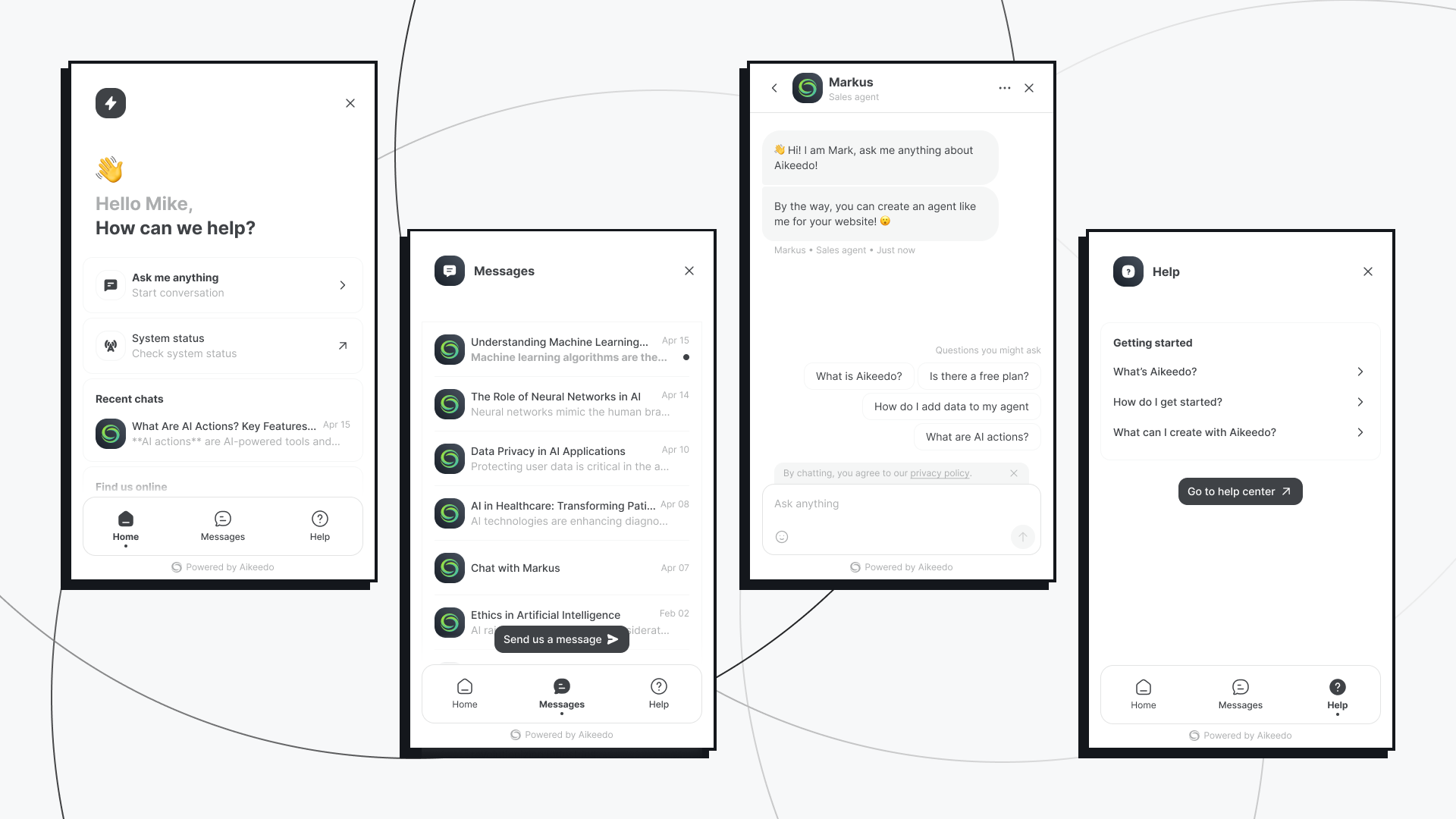
Installing the plugin adds a Chatbots section to your admin settings, with two layers of control.
Under Settings > Features > Chatbots, you can:
Instruction templates are a practical tool for operators who want to guide their subscribers toward well-structured chatbots without requiring them to write prompts from scratch.
Each plan gets its own chatbot controls under Plans > [plan name] > Extensions > Chatbots:
These two settings give you everything you need to differentiate your plans around chatbot functionality — from entry-level (limited chatbots, branded widget) to premium (unlimited chatbots, fully white-labeled).
Your subscribers see a new Chatbots section in their workspace sidebar. Creating one takes seconds: click + Add new, give it an internal name, and the editor opens.
The editor is organized into sections that move logically from configuration to deployment.
Subscribers choose the AI model that powers their chatbot — from any model available on their plan — and write instructions (a system prompt) that define how the chatbot behaves. If you've enabled instruction templates, they can start from a preset rather than writing from scratch.
The access setting displays both "Only me" and "Workspace" options — but this is informational, not a real choice. All chatbots, conversations, and contacts are always shared with workspace members. The options are shown so subscribers understand that content is visible to the full workspace, not to imply they can restrict it.
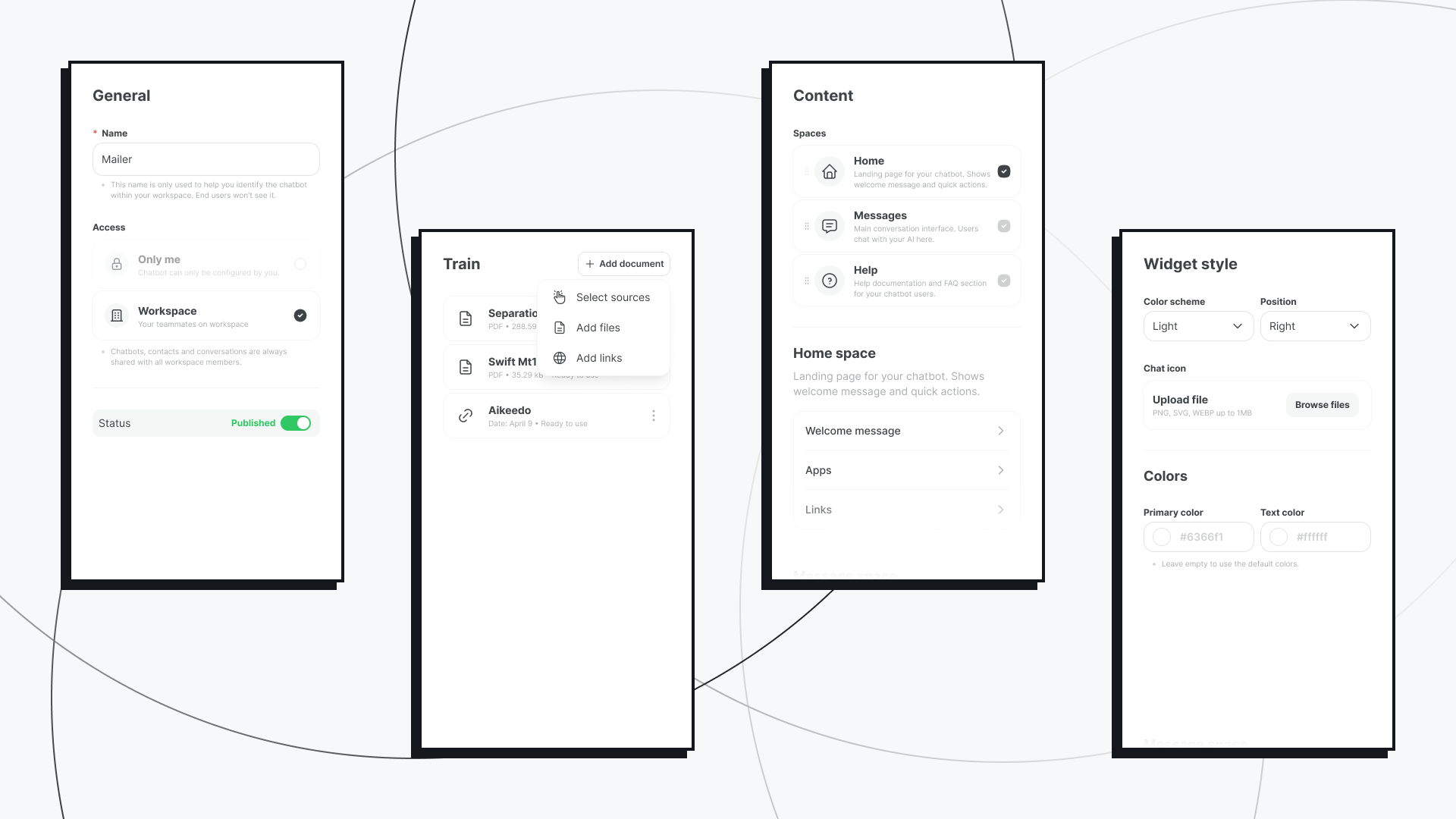
This is where the chatbot becomes genuinely useful. Subscribers can add knowledge sources in three ways:
At reply time, the chatbot retrieves relevant content from these sources and uses it to ground its responses. A chatbot trained on a company's documentation answers questions about that company's product. A chatbot trained on a support FAQ handles tier-one support questions. The model doesn't hallucinate information that isn't there.
The widget editor has three areas:
Content covers the three spaces that make up the widget experience:
Style controls the widget's appearance: light or dark color scheme, left or right position on screen, a custom launcher icon, and primary and text color overrides. The widget should look like it belongs on the subscriber's site, not like a generic chatbot dropped in from a third-party tool.
Security is where things get more serious for subscribers who need it:
*.example.com). Leaving the list empty allows the widget anywhere.Once the chatbot is configured, subscribers copy a JavaScript embed snippet from the Deploy tab and paste it into their website's HTML. That's the full deployment process. The widget runs on their site; their visitors interact with it; conversations flow back into the workspace inbox.
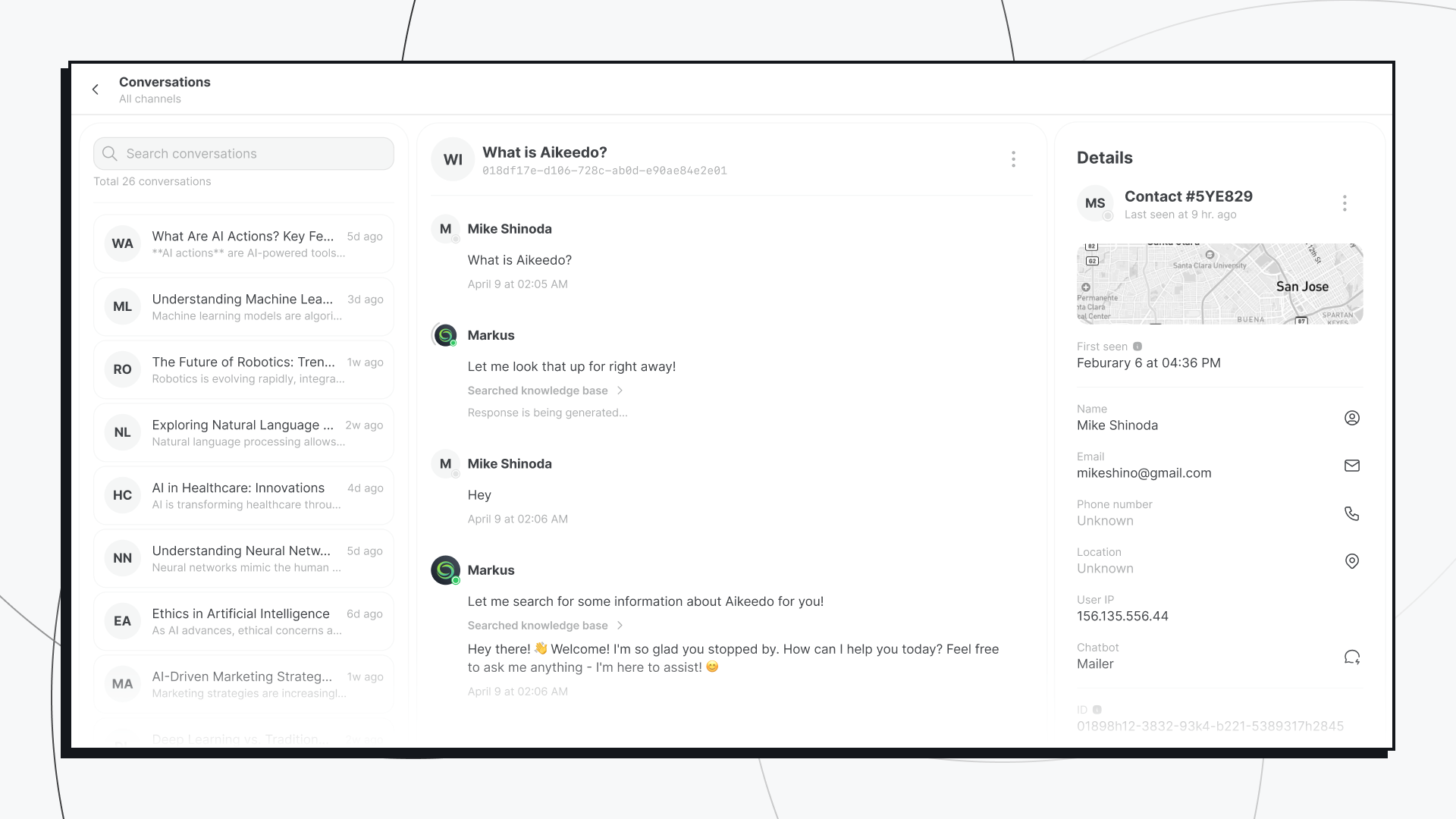
Every conversation that comes through the widget is logged in the subscriber's workspace inbox with full message history and contact details. The Contacts section tracks everyone who has interacted with the widget — including first seen date, location, IP, and their conversation history.
This isn't just a chat widget. It's a lightweight lead and engagement tracking system built into the workspace. Subscribers don't need a separate CRM or inbox tool to see who's been talking to their chatbot.
The Chatbots plugin works with every AI provider already configured on your platform: OpenAI, Anthropic, Cohere, xAI (Grok), Ollama, and any custom OpenAI-compatible provider. Subscribers pick from the models available on their plan — no separate API keys, no additional setup on their end.
Agency operators — if your clients are agencies or service businesses, the Chatbots plugin gives them something they'd otherwise pay $50–200/month for from a standalone chatbot tool. Bundling it into your platform adds real retention value.
SaaS-focused operators — if your subscribers are themselves building products, they now have a way to embed AI support or onboarding chatbots without integrating a third-party service. That's a meaningful capability to offer.
Content and creator platforms — a chatbot trained on a content library lets creators offer their audience a way to explore and interact with their work in a new format.
Operators running differentiated plans — the plan-level controls (chatbot limits, branding removal) give you concrete features to use as upgrade incentives. It's not just "more credits" — it's capabilities.
The Chatbots plugin is currently marked as experimental. It's fully functional — your subscribers can build, deploy, and use their chatbots in production. But the underlying API and some admin configuration options may change in future releases. If you're building custom integrations on top of it, keep that in mind.
We'll graduate it out of experimental status as the surface area stabilizes.
The Chatbots plugin is available from the Aikeedo Marketplace for $199 — currently discounted from $299 for launch. It requires Aikeedo v4.0.0 or later, and includes full source code access and all future updates.
If you're evaluating whether the plugin fits your platform, the live demo is the fastest way to see the subscriber-side experience in action. And if you're not yet running Aikeedo, the pricing page has everything you need to get started.
Discover more on related topics that might interest you