


Your AI SaaS business, ready by this week!
Try demoA Refresh of Aikeedo's Billing Pages: Plans, Checkout, Orders and Pricing
7 min read
Your AI SaaS business, ready by this week!
Try demo7 min read
Aikeedo v5.3 refreshes billing for your users: plan cards that list what each plan includes, a Pricing page, clearer checkout and order pages, and upgrade prompts.
The billing pages are where a user decides to pay you, or to pay you more. They are also where a confused user gives up. Each question they can't answer there — what does this plan include, what will this model cost, will I be charged today — is a sale you might not make.
v5.3 reworks every billing page your users see, from choosing a plan to what happens after paying, and what they see when they run out.
Until now, a plan card showed the price and the feature list you typed in. In v5.3, the Plans page builds each card from the plan's own settings, then adds your list.
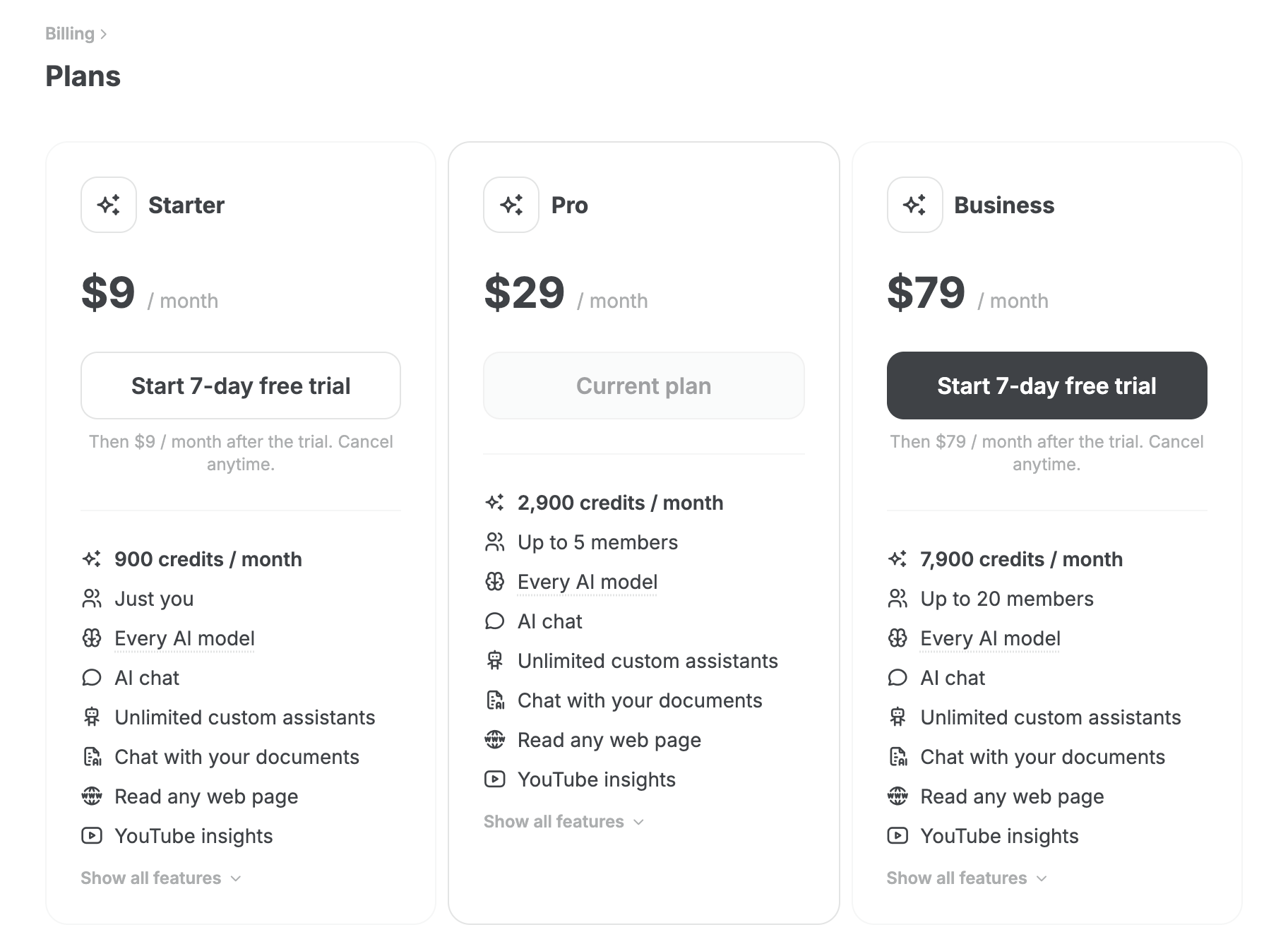
Each card can list:
Only what your installation has switched on is listed, so a card never advertises a tool you don't offer. The first eight rows show, with Show all features for the rest.
Below the cards, See what each model costs links to the new Pricing page, and a free plan can sit under them as Not ready to pay? Try the free plan.
Credits are an abstraction. Users understand them better when they can see what each model costs.
v5.3 adds a Pricing page to the workspace menu, described as "What each model costs to use". It lists every model by type — chat, image, video, voiceover, transcription, voice isolation, embeddings and tools — with what it costs and what it is billed for, such as input and output tokens, an image or a second of video.
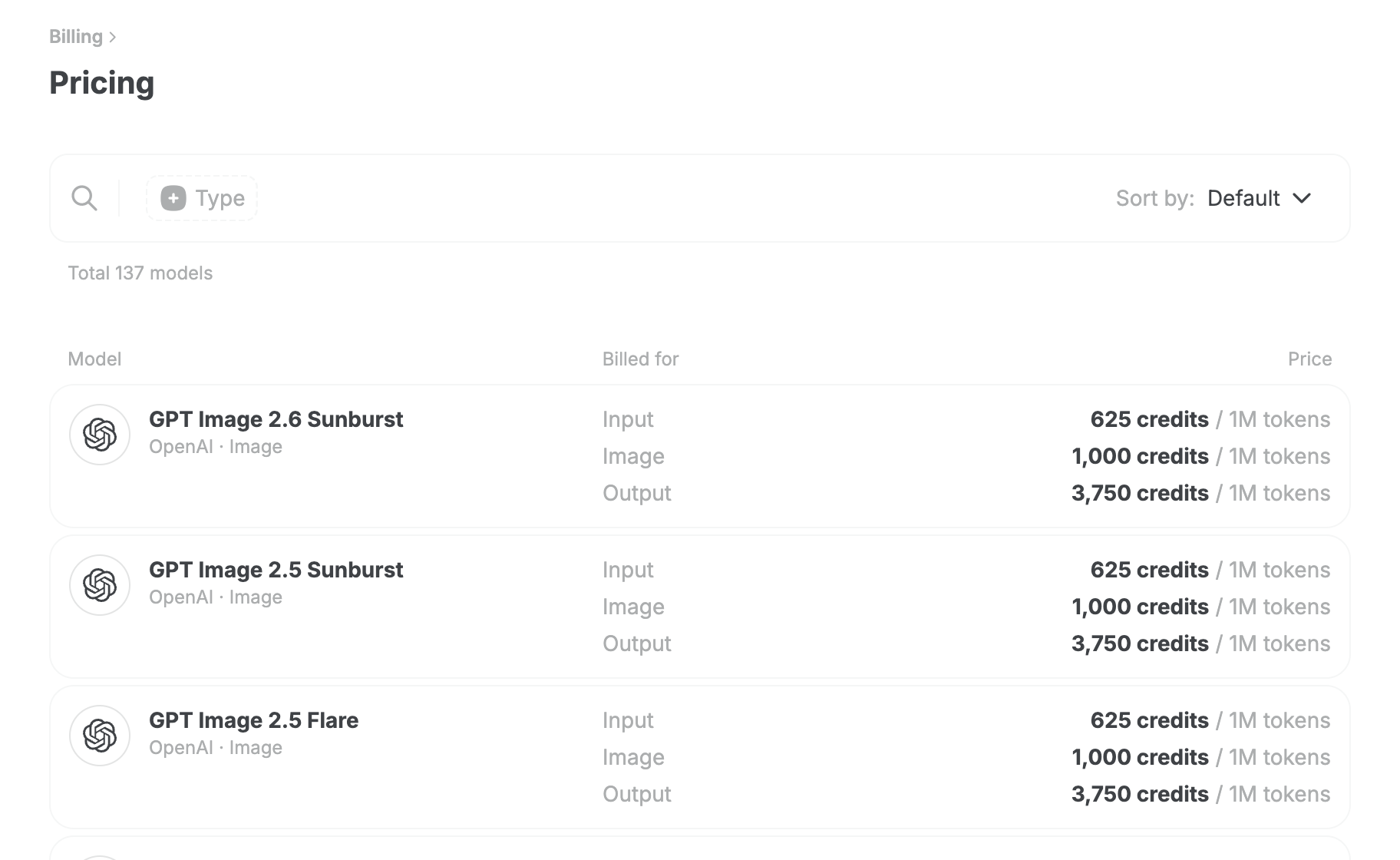
The page and the app's Models page read the same prices, so the two always agree. The prices come from your credit pricing settings.
Free trials raise one question at checkout: will I be charged now?
v5.3 answers it on the order summary. With a trial, the total row reads Due today, and below it: "You won't be charged today", with the date of the first charge and the amount per month or year. Without a trial, it reads Total as before.
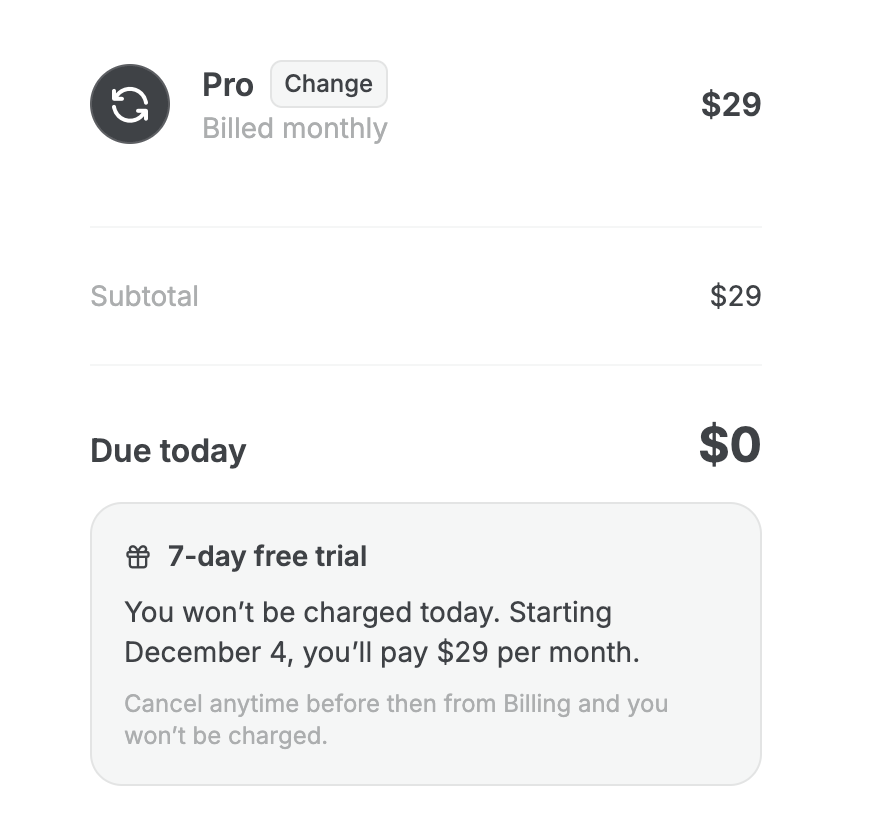
A Change badge on the order summary takes users back to the plans, or to the credits window for a credit pack, if they picked the wrong one.
After paying, users land on a new Order confirmation page instead of a receipt. Its heading matches what happened: "You're all set", "Your trial has started", "Credits added", "Complete your payment", "Payment didn't go through" and so on, with the next step as a button, such as Start creating or Try again. Old receipt links redirect to it.
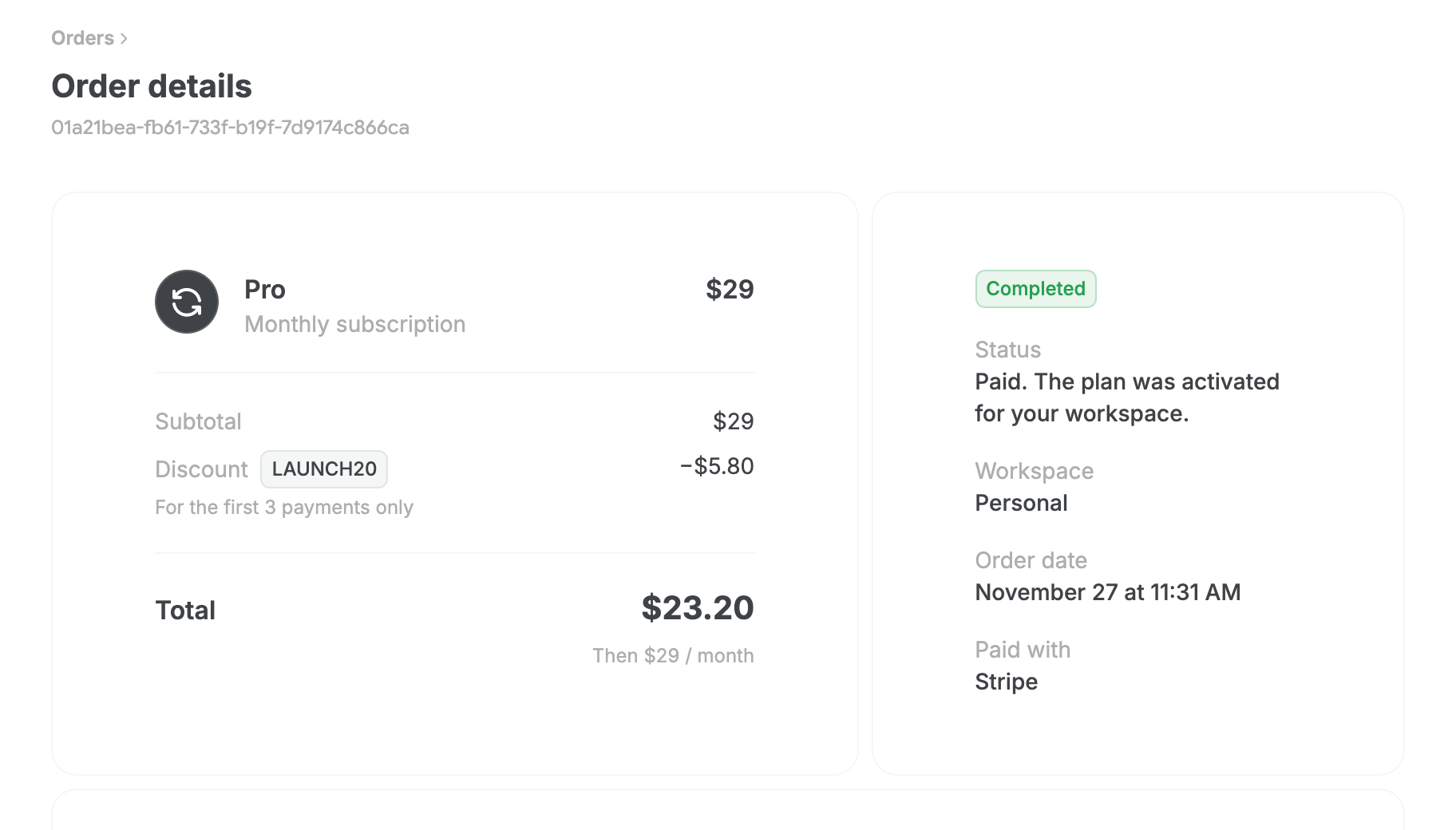
Order details now starts with the status in plain words, such as "Paid. The plan was activated for your workspace." For a plan, it shows what's included; for a credit pack, the credits. The discount row shows the coupon code.
Totals with a coupon that applies to the first payment only now add up everywhere: subtotal, discount, taxes and total, on the order page, in the admin panel and in the purchase confirmation email.
The best moment to offer an upgrade is when a user needs one. Until now, that moment ended with an error.
In v5.3, when a request hits a billing limit, the app opens an upgrade window instead:
It opens when the credits run out, when the month's or the session's usage is spent, and when a user picks a model their plan doesn't include. On the top plan, it says so instead of offering an upgrade.
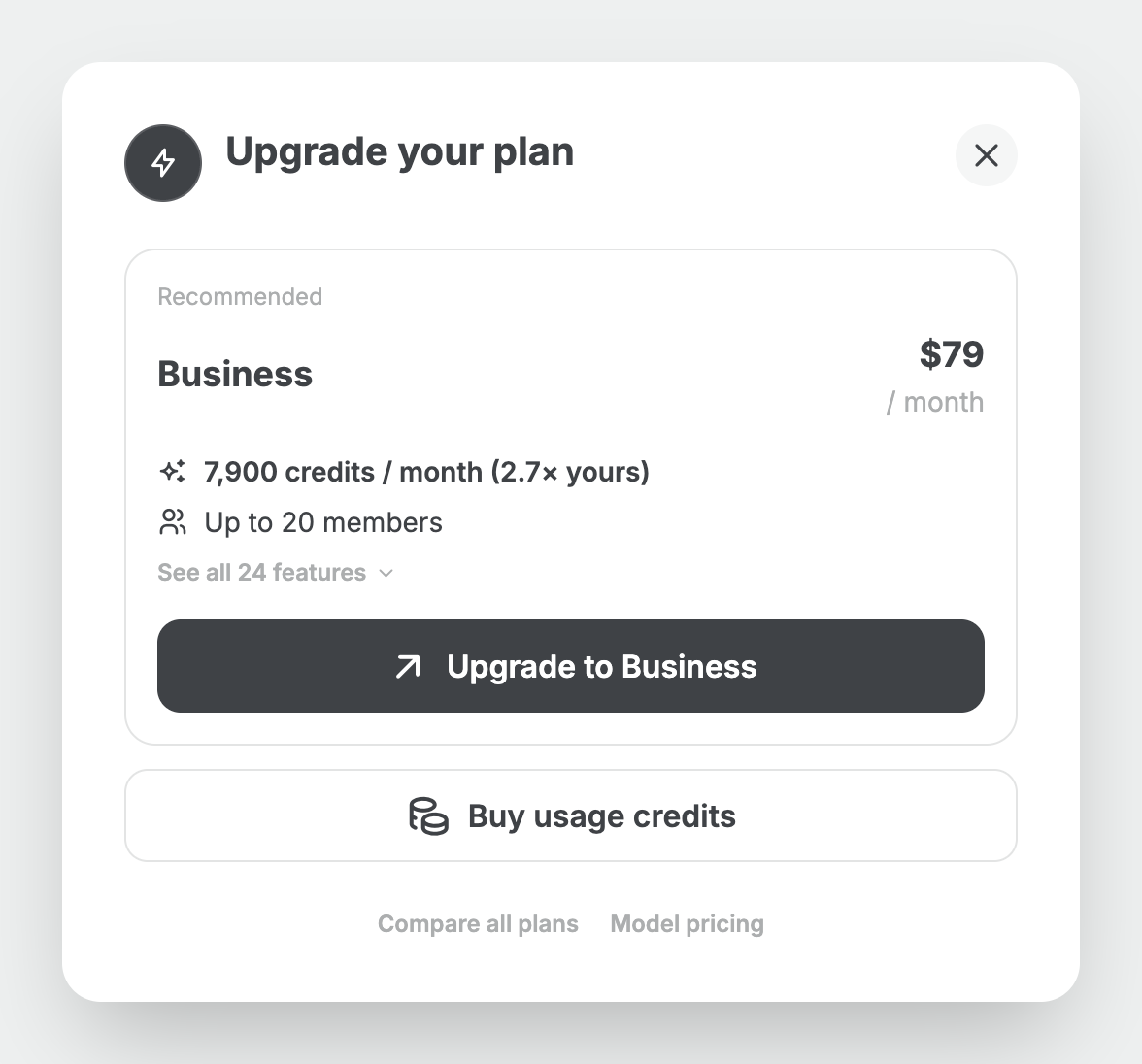
Around it:
Only the workspace owner can pay. v5.3 makes every billing page say so:
All of this comes with v5.3. There is nothing to switch on, but three settings make it work best:
The plans and credits page has the overview, and the v5.3 release post covers everything else that is new.
Try the live demo to see it in action, or head to our pricing page if you are ready to get started.
Written by The Aikeedo Team ⦁ Published
Discover more on related topics that might interest you
No. It appears in the workspace menu after updating, and lists the models users can use with the prices from your credit pricing settings. Until models have prices, it says prices haven't been set up yet.
Yes. Each plan card lists its allowance, members, models and tools, and the model count opens the full list of models in the plan.
An upgrade window with the next plan, an option to buy credits if you sell them, and links to compare plans and model prices. A banner and a usage meter warn them before it gets that far.
Image, video and other generations already reserve their estimated cost before they start. The new check covers chat, where the cost depends on the length of the reply.