v5.2 let chat work when nobody is watching. v5.3 is about the numbers behind it: what each model costs you, what your users pay for it, and whether your installation is ready to take their money.
Credits are now priced from what providers charge you, plus your markup. Models get a proper admin of their own, where you can add any model a provider offers, serve one model through several providers and set its price on the same page. Your users get a Pricing page that shows what each model costs, and they see an upgrade offer when they run out instead of an error. And a new dashboard tells you what still needs setting up and what is wrong with the server.
Aikeedo v5.3 is live.
Here is everything that is new.
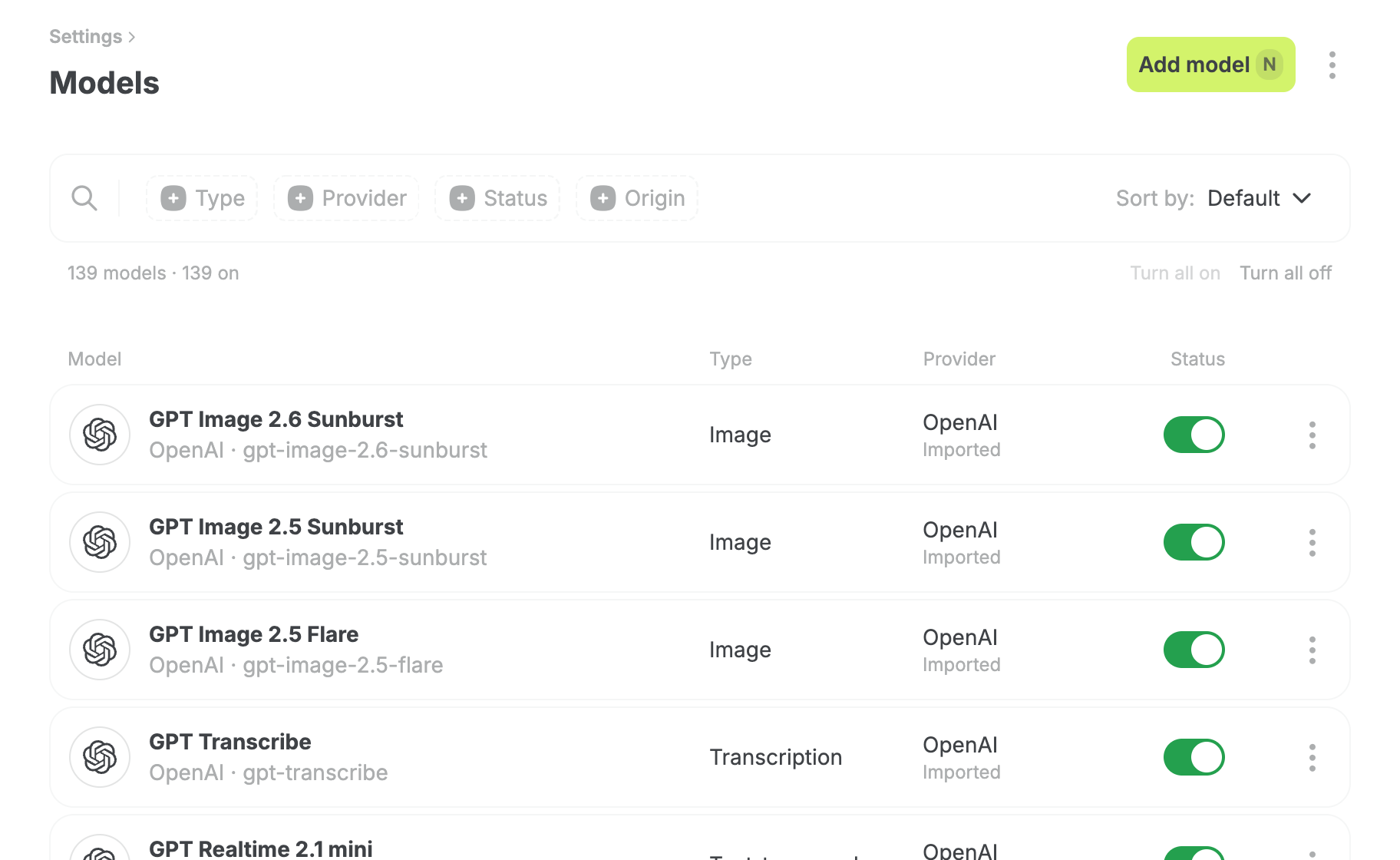
Until now, model settings were spread over a settings page, a five-step wizard and a separate page of ratios. In v5.3, Settings → Models opens a full models admin.
The list shows every model with its type, provider and an on/off switch. Filter by type, provider, status or origin, sort them, or drag them into your own order. Rows flag what needs attention: a model with no price, a model with a discount, a model with more than one provider. Turn all on and Turn all off work on whatever the filter shows.
Each model has its own page, with tabs for General, Capabilities, Parameters, Pricing, Media and Connection:
- Add your own models. Add any text model from OpenAI, Anthropic, Cohere, xAI, Ollama or an OpenAI-compatible server, embedding models from OpenAI, Ollama and those servers, and image and video models from OpenAI, xAI, Luma, fal.ai and WaveSpeed.
- fal.ai and WaveSpeed lookup. Paste a model id or a link, click Look up at the hub, and the form fills itself in. WaveSpeed is new in v5.3, as a second model hub next to fal.ai.
- Several providers per model. A model can have more than one provider, each with its own API id, settings and prices. One serves the requests; you switch with Make active. Duplicates can be merged into one model, with their saved items and plan access.
- Parameters. For image and video models, choose which settings users can pick, which are fixed, and what the defaults are.
- Media. Give a model a preview image or video, plus one that plays on hover.
- Discounts. Take a percentage off a model's price for everyone. Users see the full price struck through next to the new one.
Every model now has an origin. Built-in models ship with Aikeedo and stay current with updates, Imported models come from the bundled catalog when you choose to add them, and Custom models are the ones you create, which updates never touch.
Read the full walkthrough in Model Management in Aikeedo v5.3.
In v5.2, you set a ratio of credits for every rate of every model and worked out the margin yourself. v5.3 turns that around. You set two numbers, and Aikeedo does the arithmetic.
- Credits per USD — how many credits a US dollar of provider cost is worth.
- Default markup — how much more than your cost users pay, as a margin or a multiple. A model can have its own markup.
Aikeedo ships with what each provider charges per token, image, second or character, and multiplies it out: cost × markup × credits per USD. With 100 credits per USD and a 1.25× markup, a request that costs you $0.01 costs users 1.25 credits. When a provider changes its prices, you change nothing.
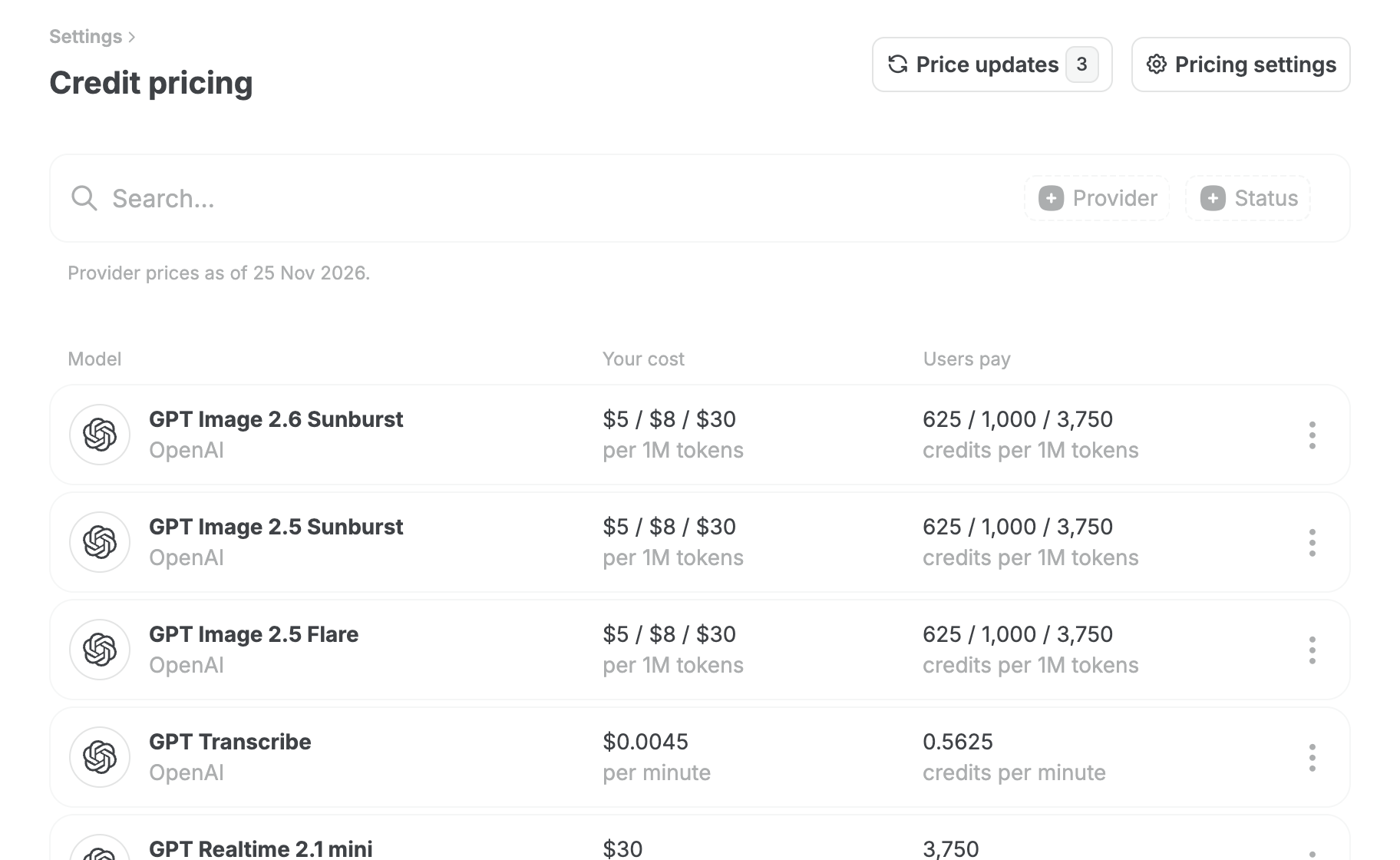
Settings → Credit pricing lists every model with Your cost and Users pay side by side. A few things worth knowing:
- Fixed credits are still there. For any rate, you can keep a fixed number of credits that doesn't follow the cost.
- Price changes wait for you. When an update brings new provider prices, Price updates lists them with the before and after. Nothing changes until you click Apply new prices.
- Changing your settings is reviewed first. Before a new credits per USD or markup is saved, you see how many models change price and confirm it.
- Plans tell you when they lose money. The plan editor shows the most credits a plan's price covers at your markup, and warns when the limit is above it.
- Unpriced models don't slip through. Turning on a model with no price asks whether you really want to offer it for free.
Upgrading from 5.2 changes nothing your users pay. Your 5.2 ratios are kept as fixed credits, so every model charges exactly what it did, until you switch it to cost-based pricing.
More in Cost-Based Credit Pricing and the credit pricing documentation.
Your users can now see what they are paying for.
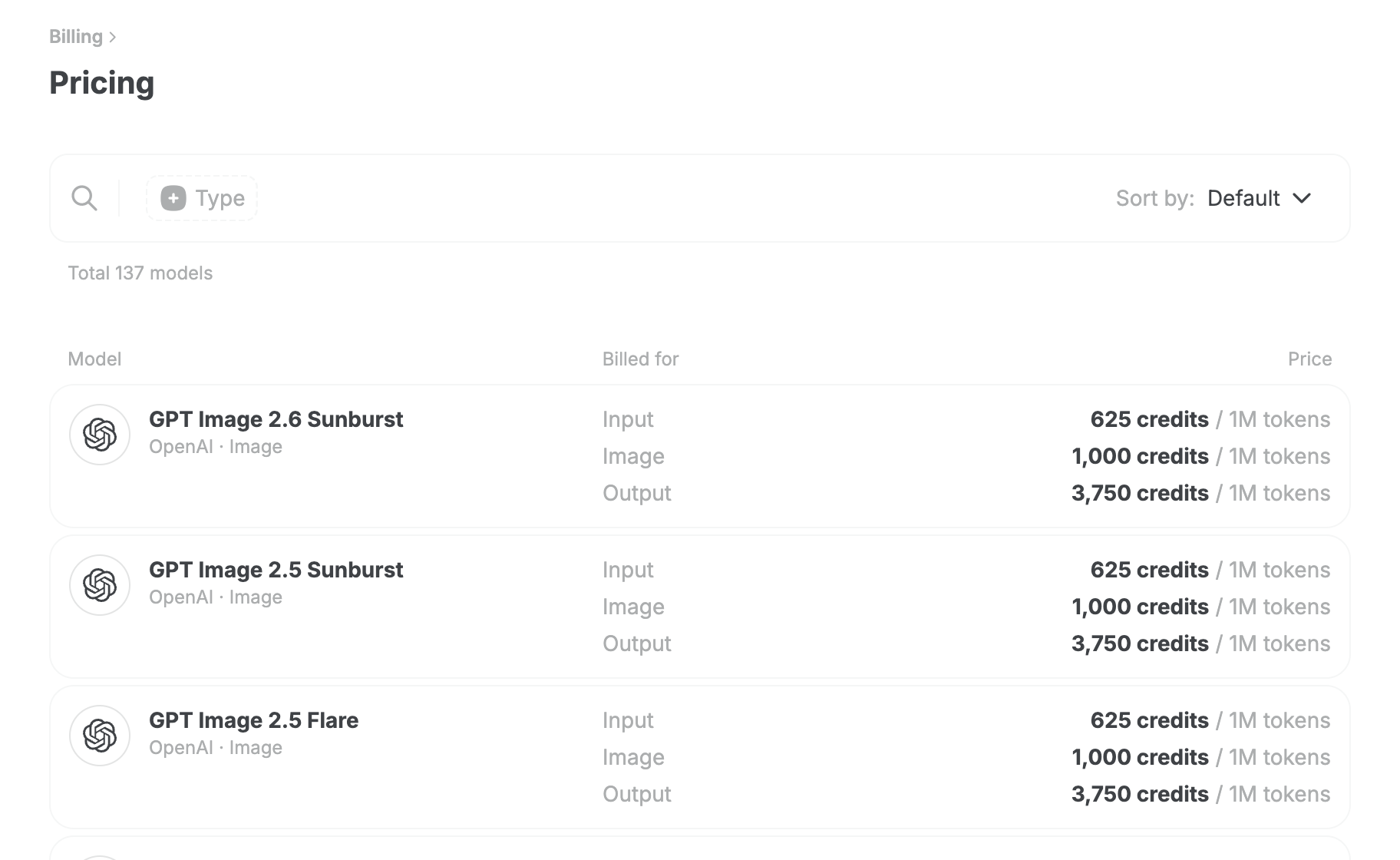
- A Pricing page. Under Pricing in the workspace menu, users see every model they can use, by type, with what it costs in credits and what it is billed for. Models outside their plan are marked, and discounts show the full price struck through. In session usage mode, prices show in your site's currency.
- Plan cards that list what a plan includes. Credits or usage, members, how many AI models, the tools and caps, then your own feature list. Click the model count to see exactly which models a plan includes.
- Checkout says "Due today". With a free trial, the total reads Due today, followed by the date and the amount of the first charge.
- Order pages, rewritten. The order details page starts with the status, the receipt is now an order confirmation with a heading for every outcome, and totals with a first-payment coupon now add up everywhere, including the purchase email.
More in A Refresh of Aikeedo's Billing Pages.
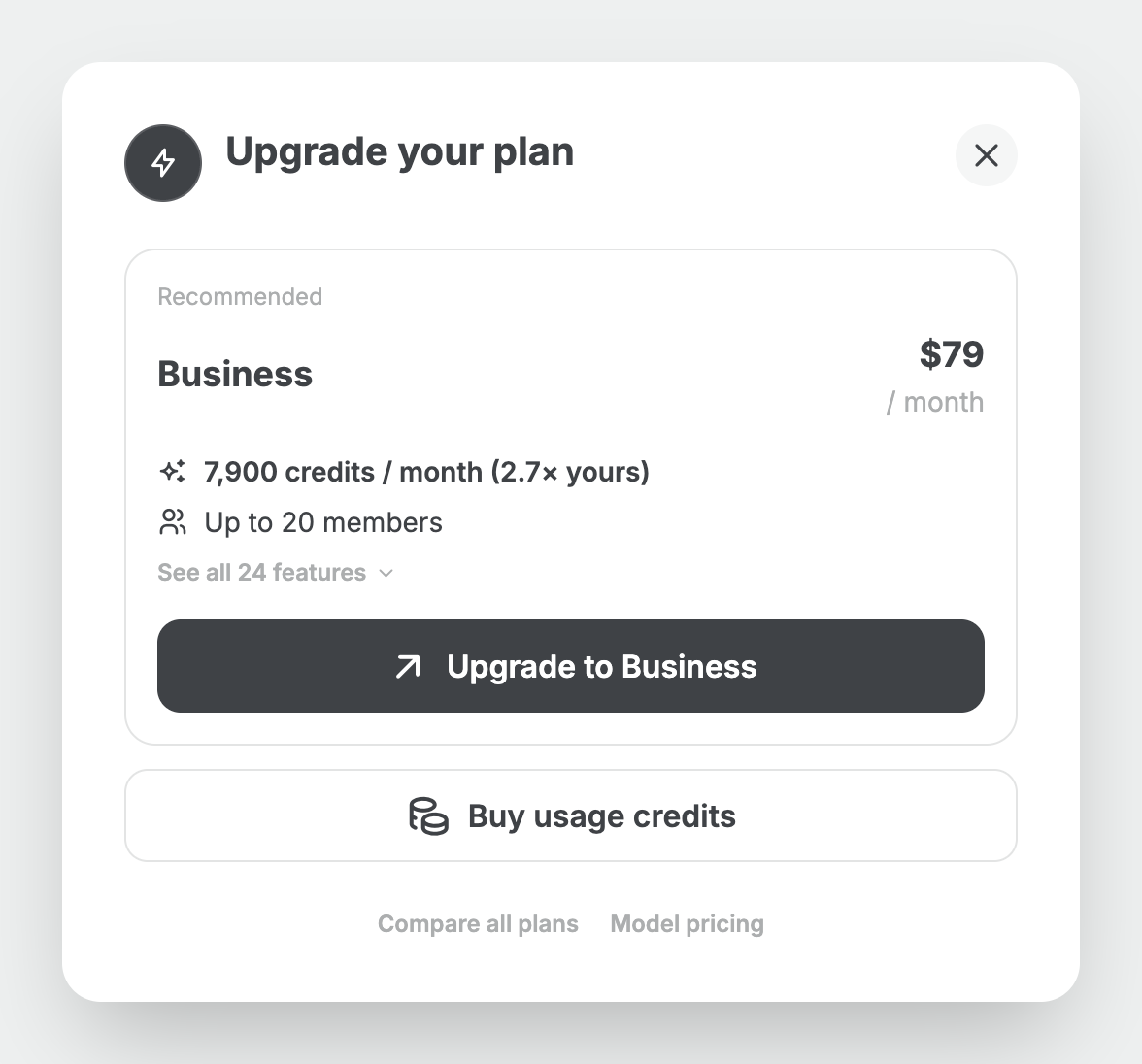
Running out of credits used to end with an error. In v5.3 it ends with an offer.
- An upgrade prompt at the limit. When a request hits a billing limit, the app opens a window recommending the next plan, with its features, and Buy usage credits if you sell them. It also covers models outside the user's plan.
- An out-of-credits banner with Get more, which users can dismiss for the day.
- A usage meter in the sidebar. On paid plans it appears from 80% used; in session mode, it shows how much is used and when it resets.
- A balance check before chat. Before a chat request goes out, Aikeedo prices the worst case for the chosen model and stops the request if the balance can't cover it, with a clear message instead of a reply that overspends.
- Members are sent to the owner. Workspace members see the same limits, but without buy buttons, and with a message to ask the workspace owner.
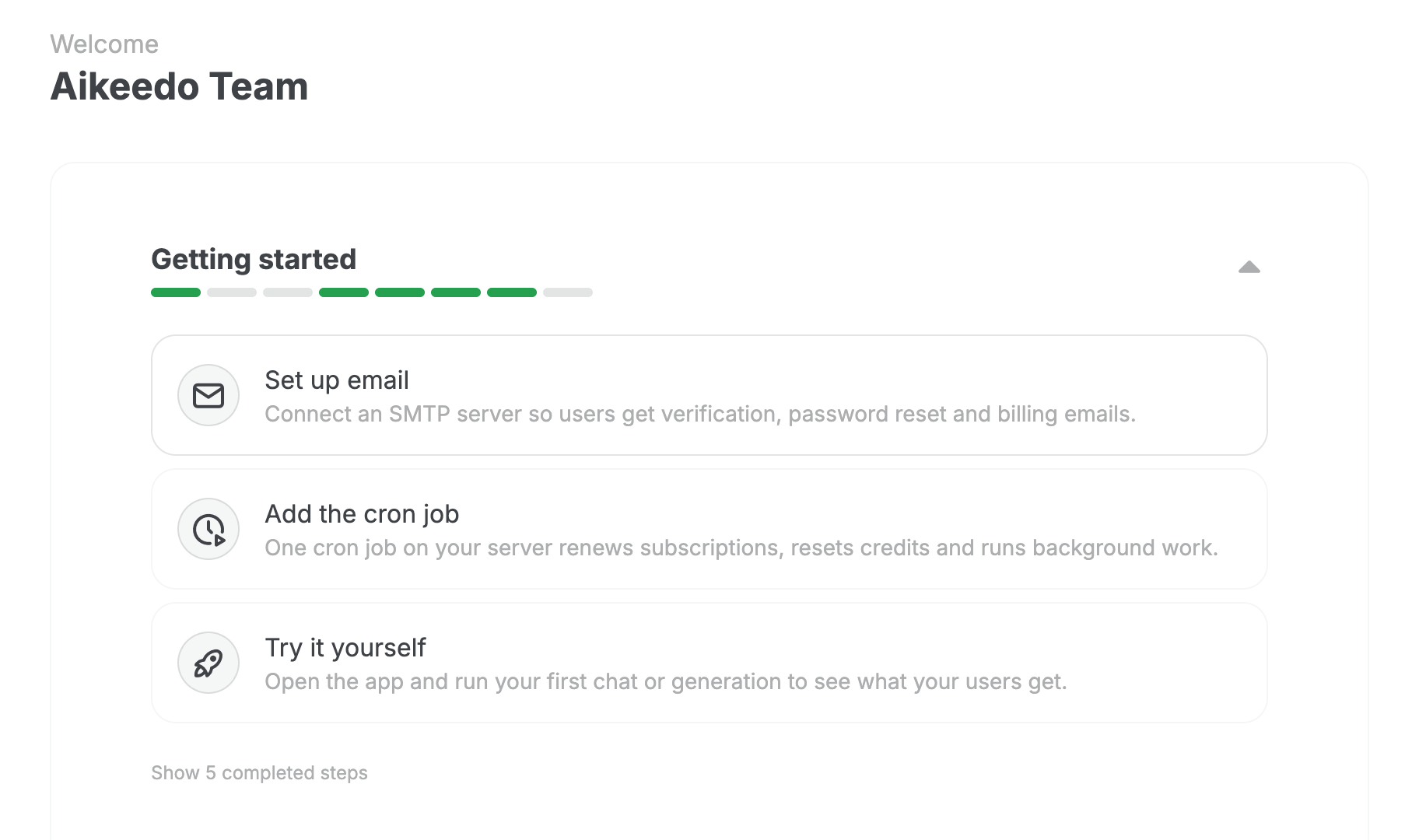
The dashboard now opens with two new cards.
Getting started walks a new installation through eight steps: business details, email, the cron job, an AI provider, credit pricing, a plan, a payment gateway, and trying the app yourself. Each step links to the right page, and the card goes away once everything is done.
System health checks the installation every time you open the admin panel: PHP, server settings, site address and email, cron, the queue, plugins, AI providers and payments. It shows the most urgent problem with a Fix button, or "All systems normal" when there is nothing to do.
The Status page lists every alert, most urgent first, above the system details. Copy system report copies a plain-text summary of your installation, with no keys or passwords, ready to paste into a support request. Plugins can add their own checks.
v5.3 brings the model catalog up to date:
- OpenAI — GPT 6.2 Astra and GPT 6.2 Sol, and GPT Image 2.6 Sunburst and GPT Image 2.6 Flare
- Anthropic — Fable 5.2
- Google AI Studio — Gemini 4 Carbon, Gemini 4 Neon and Gemini 4 Hydrogen
- Cohere — Command A Translate
- fal.ai — Veo 3.1, Veo 3.1 Fast and Veo 3.1 Lite, Gemini Omni Flash 1.2, Seedance 2.5 Flash, Seedream 5.5 and FLUX.2 [flash]
- Through OpenAI-compatible servers — Kimi K3.1 Pro, GLM 5.3 Flash, Nemotron 3 Ultra, Qwen4 Max and MiniMax M3.1 Flash
Luma moves to its new API. Luma retired the Dream Machine API, so Aikeedo now uses Luma's Agents API, with three new models:
- Ray 3.2 for video, from 360p to 1080p, replacing Ray 2 and Ray Flash 2.
- Uni-1 for images, replacing Photon Flash 1.
- Uni-1 Max for higher-quality images, replacing Photon 1.
Luma results are now collected by a scheduled task every minute, so Luma needs the cron job and no longer needs your site to be reachable from the internet. You will need a new API key from the Luma developer platform.
New models arrive switched off. Add the ones you want from Settings → Models with Import models, check their prices, and turn them on.
The Default theme reaches version 3.0, with a new landing page.
- A live preview. Instead of screenshots, the hero shows a picture of your own dashboard, drawn with your logo, your accent colour and the tools you have turned on.
- "Powered by" your models. A strip of logos from the developers of the models you offer, and a model count in the features section.
- Only what you sell. Each tool's showcase appears only when the tool is on, the FAQ adapts to credit or session billing, and the pricing section matches the plan cards in the app.
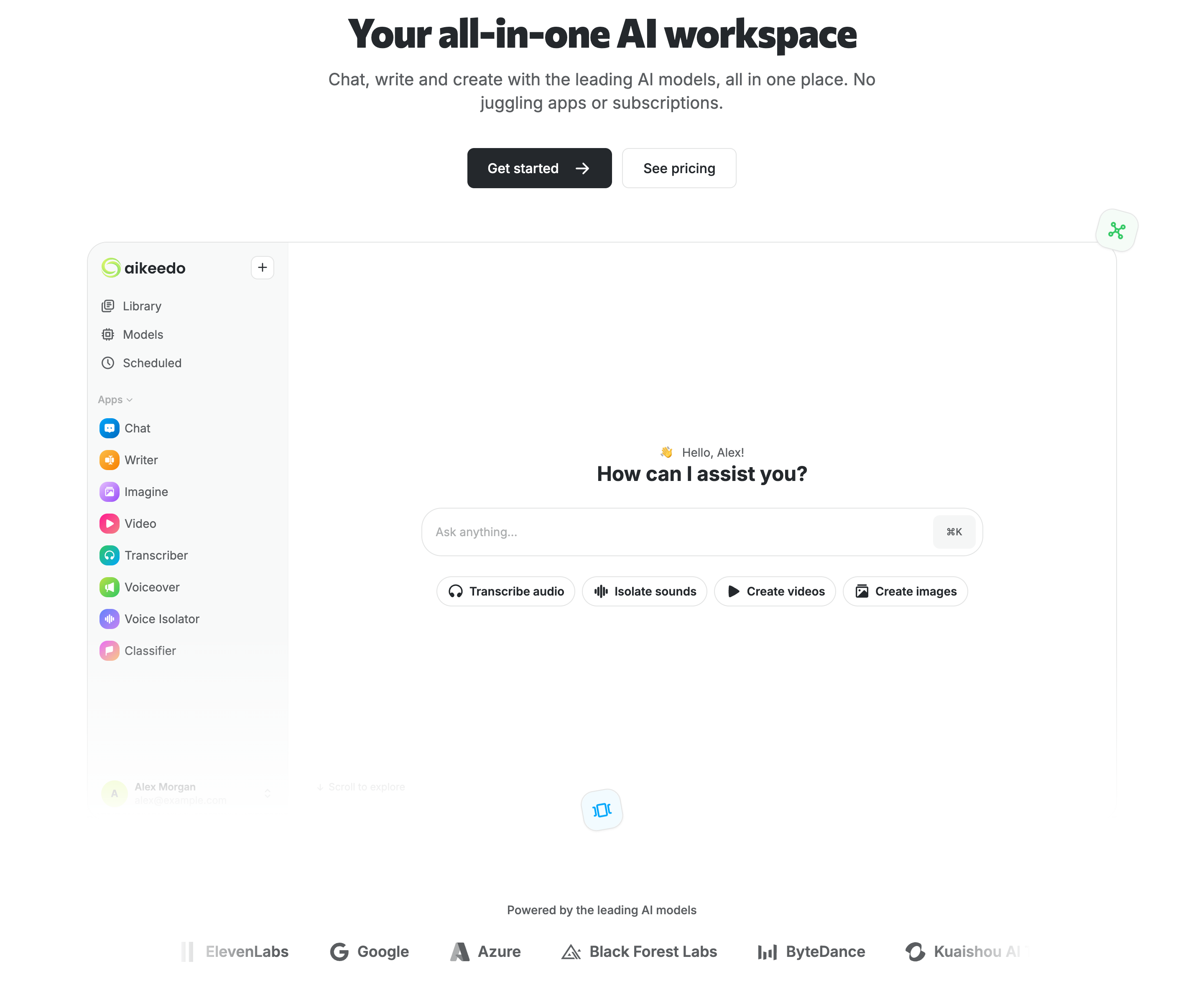
The new landing page needs Aikeedo 5.3 for its model list.
- The ratio calculator. The spreadsheet calculator, with Open calculator and Pull ratios, is retired. Aikeedo now does the same arithmetic itself from provider costs, so there is nothing left to calculate by hand.
- The central catalog sync. A sync that would have fetched models and prices from aikeedo.com between updates never shipped, and it won't. New models and prices come with each update, and price changes always wait for you to apply them.
- Retired models. Models the providers retired are switched off, not deleted, so your users' library items stay. Among them: Opus 4.5, GPT Image 2, Mistral Medium, Simba Turbo, Luma Ray 2, Ray Flash 2 and Photon, and fal.ai's Hunyuan Video, Wan 2.1 Pro and Reve. Where a model has a successor, saved items, voices and plans move to it.
- Model families and version labels. Models are now known by one id everywhere, and old links redirect to it.
- The AI Code section on the Default theme's landing page.
- Models in the database. The model registry moves from a JSON file into database tables. Your old
registry.json is copied in once and kept in var/backups/
- A new cost calculator for developers, priced by usage lines and rate types. See the models documentation
- Affiliate commissions are now calculated on the amount after coupon discounts, without tax
- fal.ai safety — fal.ai image models now follow your Privacy & safety setting
- Ollama calls the address you set for it, instead of always
localhost
- Avatars show initials when a user has no Gravatar
- A PHP heads-up — PHP 8.2 is still the minimum, and 8.5 is recommended. Below PHP 8.4, the dashboard suggests planning an upgrade, because Aikeedo 6 will need it
Back up your files and database first, then update as usual from the admin panel. Database migrations run automatically, and there are no new .env variables.
After updating:
- Check cron. The System health card and the Status page tell you whether it runs. Luma, WaveSpeed, renewals and resets all depend on it.
- Set credits per USD. Open Settings → Credit pricing → Pricing settings, enter Credits per USD, and review the default markup. Until you do, only your 5.2 ratios charge users, and new models charge nothing.
- Choose fixed or cost-based. Your 5.2 ratios are now fixed credits. Keep them, or switch models to cost-based pricing.
- Review Price updates and apply new provider prices if you want them.
- Find models without a price. On Settings → Models, filter by Status → Without a price, then price them or switch them off.
- Turn on successors. Retired models are switched off, and new models arrive off. Turn on the ones you want, and use Import models to add others.
- Luma users: enter a new key that starts with
luma-api-, then turn on Ray 3.2, Uni-1 and Uni-1 Max.
- Review your plans. The credit limit field now shows how many credits each plan's price covers.
- Work through Getting started and any health alerts.
The full notes are in the v5.3 release notes, and every change in the v5.3 series, including later point releases, is listed in the v5.3 changelog.
If you are evaluating Aikeedo for the first time, try the live demo or head to our pricing page if you are ready to get started.
More to come.