


Your AI SaaS business, ready by this week!
Try demoCost-Based Credit Pricing in Aikeedo: Set Two Numbers, Price Every Model
9 min read
Your AI SaaS business, ready by this week!
Try demo9 min read
Aikeedo v5.3 prices credits from provider costs: set credits per US dollar and a markup, and every model is priced for you, with price updates you approve.
Every AI platform sells credits and pays providers in dollars. The hard part is the line between the two: how many credits a token of Opus, an image from Seedream or ten seconds of Veo should cost, so that every request makes you money.
Until v5.3, Aikeedo left that line to you. You set a ratio of credits for every rate of every model, worked out the margin in a spreadsheet, and did it again whenever a provider changed its prices or you added a model.
v5.3 replaces ratios with cost-based credit pricing. Aikeedo knows what each provider charges. You tell it what a dollar is worth in credits and how much you want on top, and it prices every model for you.
This post covers how the formula works, what you set, how price changes reach your users, and what happens to your existing ratios when you update.
Every rate is priced the same way:
Credits = provider cost × markup × credits per USD
A few examples, with 100 credits per USD and a 1.25× markup:
| Request | Your cost | Users pay |
|---|---|---|
| A request that costs you $0.01 | $0.01 | 1.25 credits |
| An image from Luma Uni-1 | $0.042 | 5.25 credits |
| A 5-second 720p video from Luma Ray 3.2 | $0.30 | 37.5 credits |
| 1,000 output tokens on Fable 5.2 | $0.04 | 5 credits |
The cheap request and the expensive video earn the same margin, and you didn't have to set either one.
Both live under Settings → Credit pricing → Pricing settings.
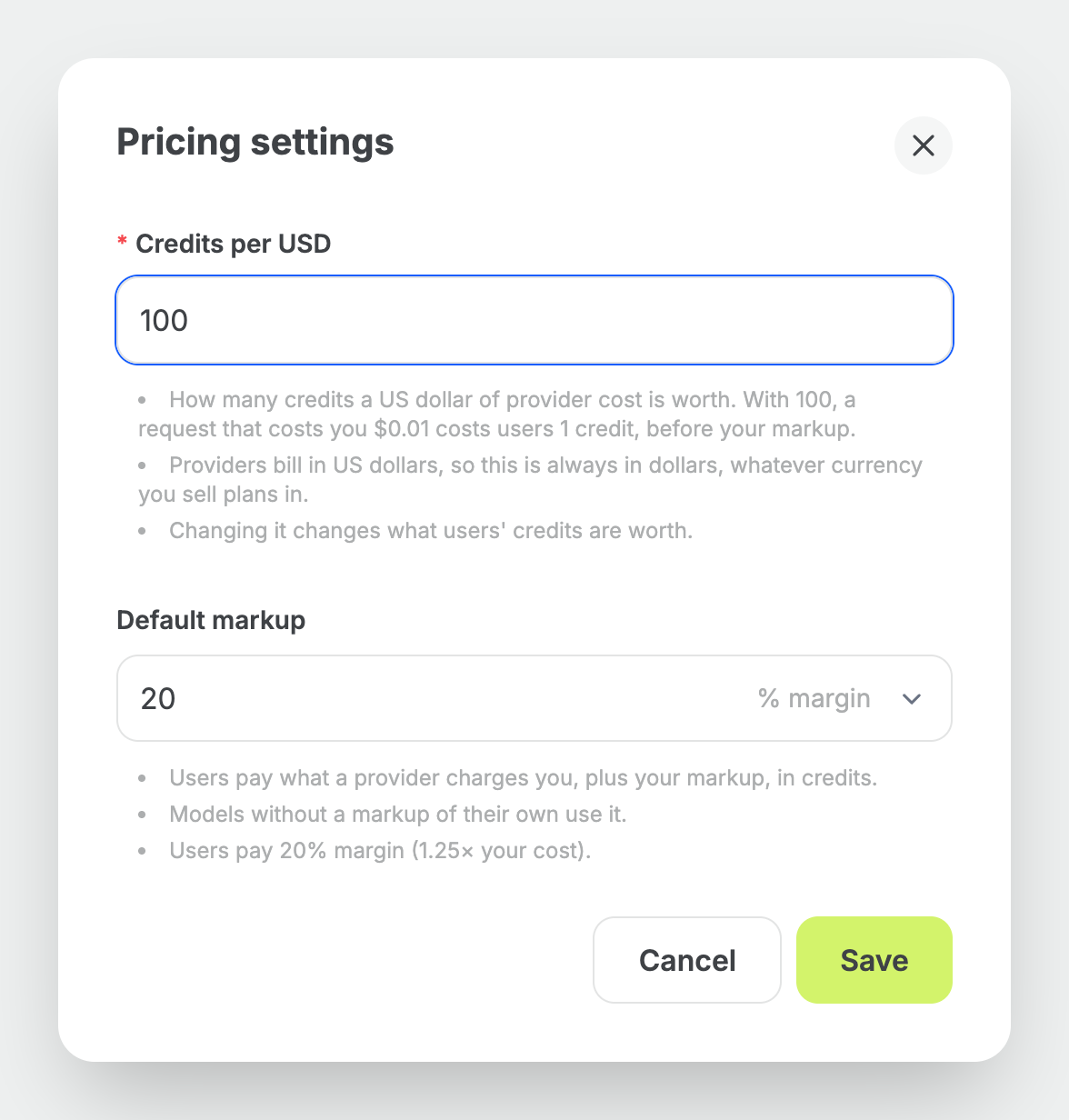
This decides how big a credit is. With 100, a dollar of provider cost is worth 100 credits before your markup, which keeps the numbers small and readable. With 1,000, every price is ten times larger.
Providers bill in US dollars, so this is always in dollars, whatever currency you sell plans in.
Pick it once and leave it. Changing it later changes what every credit your users hold is worth, and Aikeedo asks you to confirm that before it saves.
The markup can be entered two ways:
Use whichever you think in. A margin must stay under 100%, so for anything above 3× your cost, switch to a multiple.
A fresh installation starts at 100 credits per USD and 1.25× your cost, which is a 20% margin. That is a starting point, not a recommendation: it has to cover payment fees, failed requests and the users who spend every credit they have. Our pricing guide covers how to choose.
Any model can have its own markup. On the model's Pricing tab, click Customize next to Markup. A popular model can carry a higher markup than the rest; a model you want people to try can carry a lower one. Use default puts it back.
Settings → Credit pricing lists every model with two columns: Your cost and Users pay. Filter by provider, or by status:
Above the list, a line says how current the provider prices are. In v5.3 they were checked on 25 November 2026.
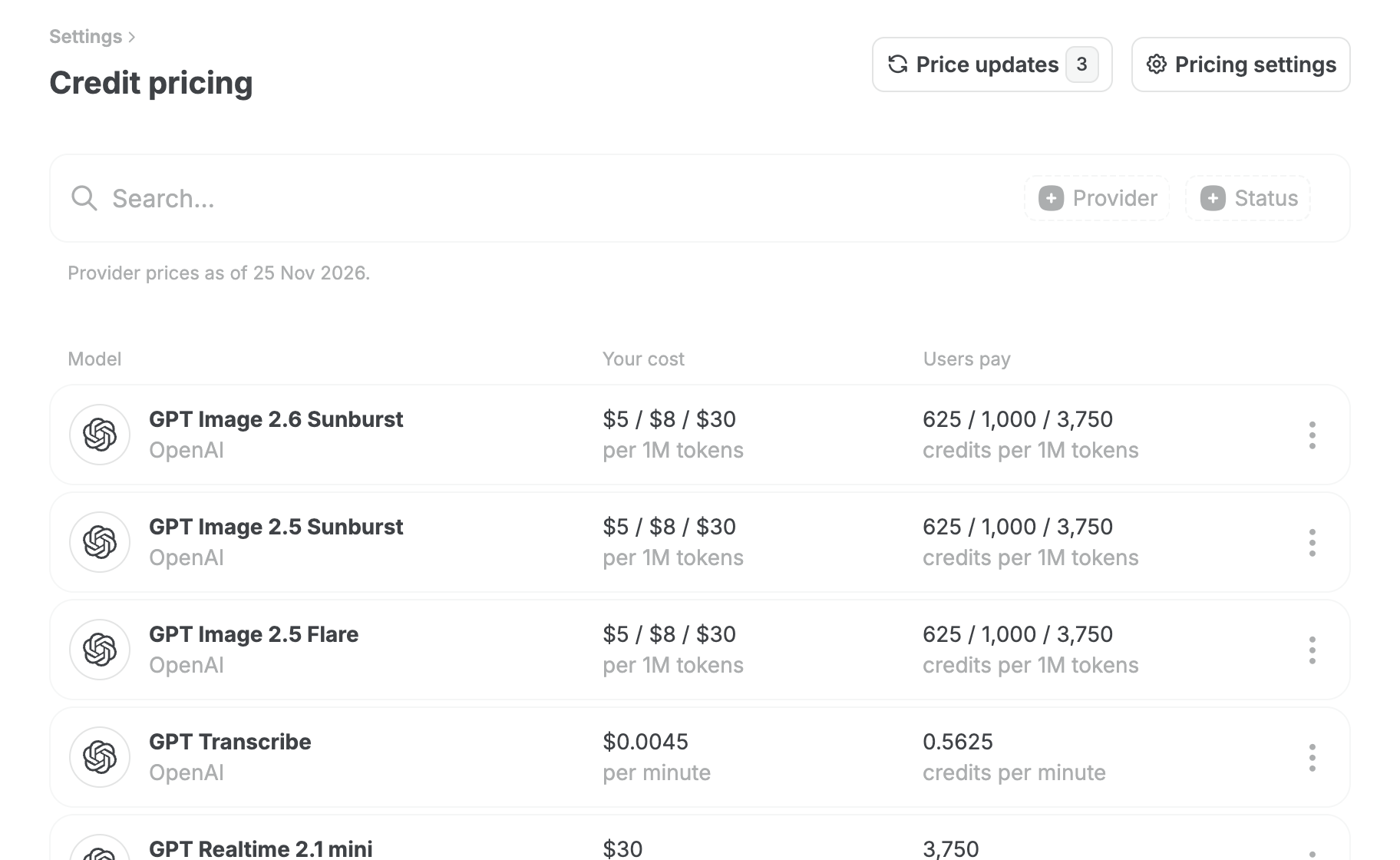
Most rates should be cost-based, but every rate can be priced one of three ways:
Providers change prices, and each Aikeedo update brings the new ones. They don't reach your users on their own.
When an update brings new costs, the Price updates button shows how many. It lists each model with what users pay now and what they would pay at the new cost. Nothing changes until you click Apply new prices, and costs you entered yourself are never replaced.
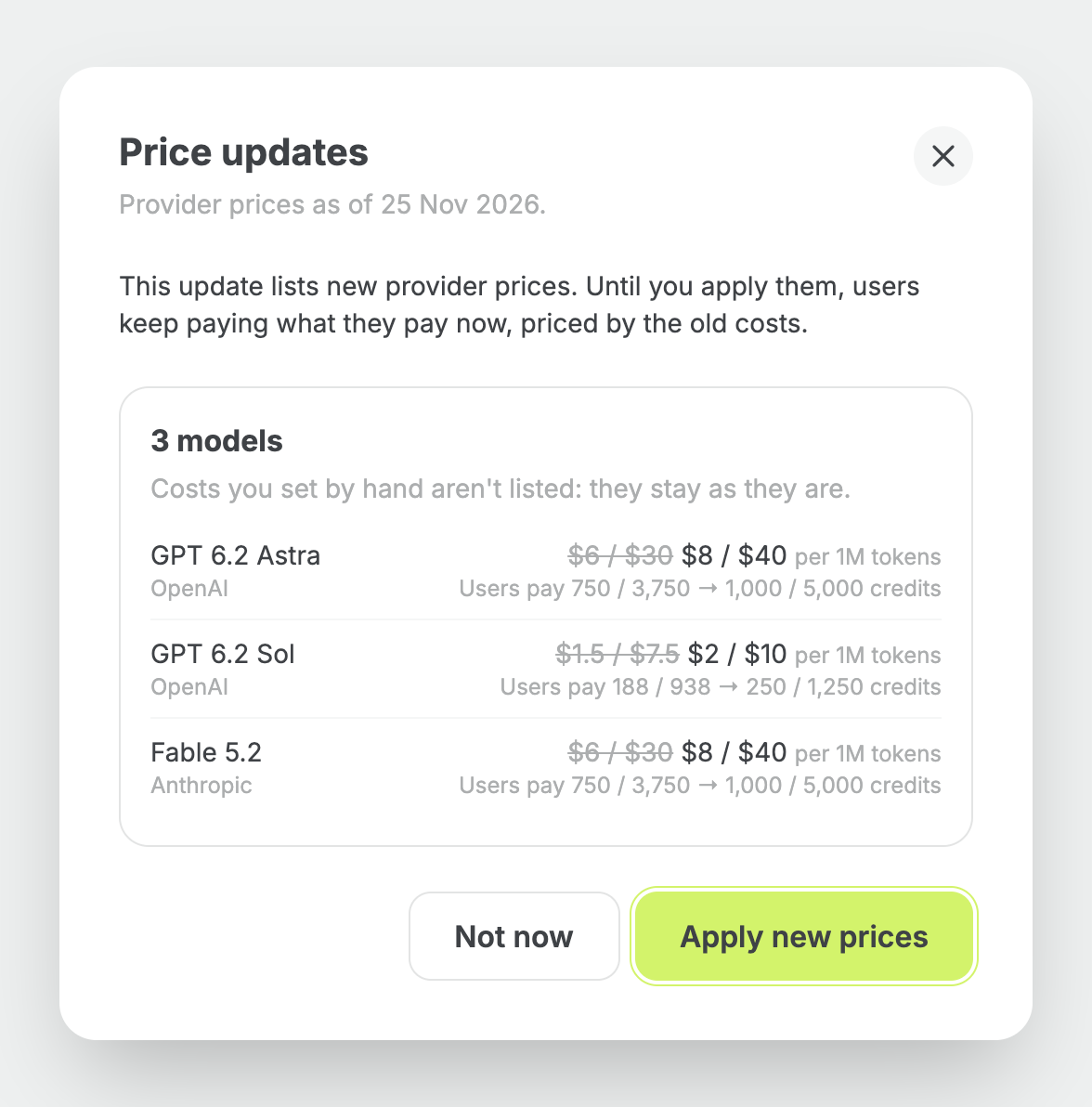
Rates with fixed credits stay as they are. That is the trade-off: fixed credits never move with costs, so check them yourself when a provider raises its prices.
For models from the two hubs:
Cost-based pricing makes it harder to lose money by accident. v5.3 adds a few checks around it:
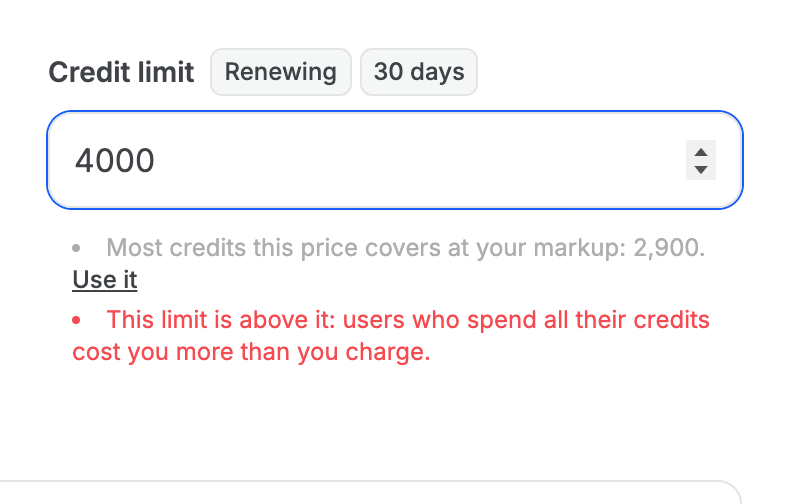
A model can also carry a discount, set on its Pricing tab. It is taken off everything the model costs, on every plan, and users see the full price struck through next to the discounted one: on the Pricing page, on model rates and in the image and video estimates. Set 100 to make a model free for a while.
Updating doesn't change what your users pay.
After updating:
The spreadsheet calculator that went with ratios is retired. Aikeedo does the same arithmetic now, from costs that come with each update.
Update to v5.3, set your two numbers, and let the costs do the rest.
The credit pricing documentation has the details, the plans and credits page has the overview, and the v5.3 release post covers everything else that is new.
Try the live demo to see it in action, or head to our pricing page if you are ready to get started.
Written by The Aikeedo Team ⦁ Published
Discover more on related topics that might interest you
No. Set credits per USD and a default markup once, and every model with a provider cost is priced from it. You only touch a model when you want its own markup, a discount or fixed credits.
No. Your 5.2 ratios are kept as fixed credits, so every model charges what it did. Prices change only when you switch rates to cost-based pricing or apply price updates.
No. New provider prices arrive with Aikeedo updates and wait under Price updates until you apply them. The one exception is WaveSpeed, which quotes a price for each run.
It depends on your costs beyond the API bill. The default, 1.25× your cost, is a 20% margin. Payment fees, support and users who spend their full allowance usually call for more.
Yes. Credits per USD is always in dollars because providers bill in dollars, but your plans can be in any currency. Add an exchange rate under Settings → Exchange so the plan editor can compare a plan's price with its credits.