


Your AI SaaS business, ready by this week!
Try demoModel Management in Aikeedo v5.3: Custom Models, fal.ai, WaveSpeed and More
8 min read
Your AI SaaS business, ready by this week!
Try demo8 min read
Aikeedo v5.3 rebuilds model management: add custom models, look up fal.ai and WaveSpeed models, serve a model from several providers, and set parameters and discounts.
A new model comes out almost every week. The platforms that keep up are the ones where adding it takes minutes, not a code change or a wait for the next update.
Aikeedo has let you add models from the admin panel for a while, through a short wizard. v5.3 replaces the wizard with a full models admin: a list you can filter and act on, a page per model with everything about it in one place, and two model hubs that fill in the form for you.
This post covers what changed, how to add a model, and the new things a model can do: several providers, user-facing parameters, media and discounts.
Open Settings → Models. Every model your installation knows is on one list, with its type, provider and an on/off switch.
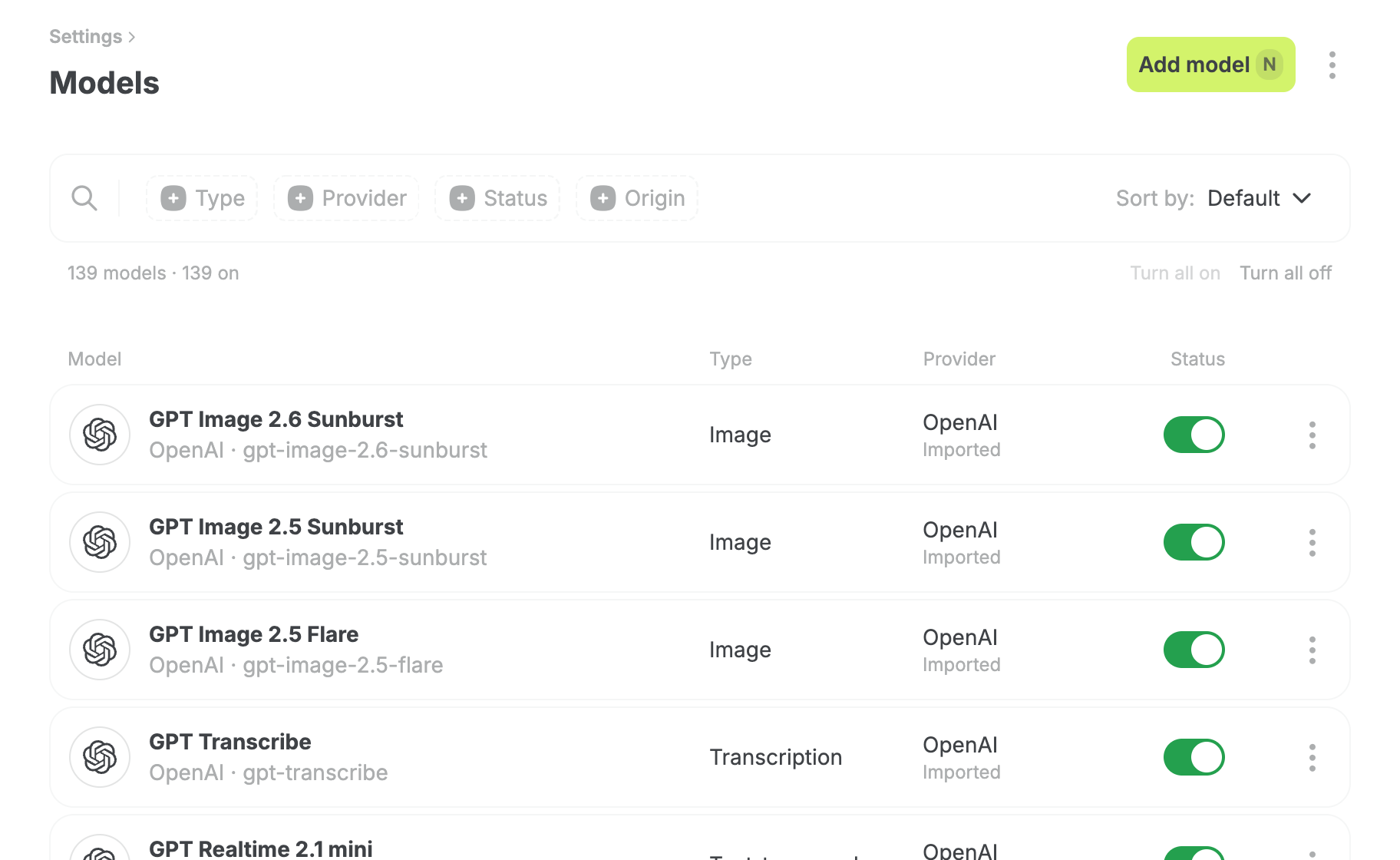
The More menu holds Import models, which adds the catalog models your installation doesn't have yet, and a link to Credit pricing.
Every model now has an origin, shown under its status:
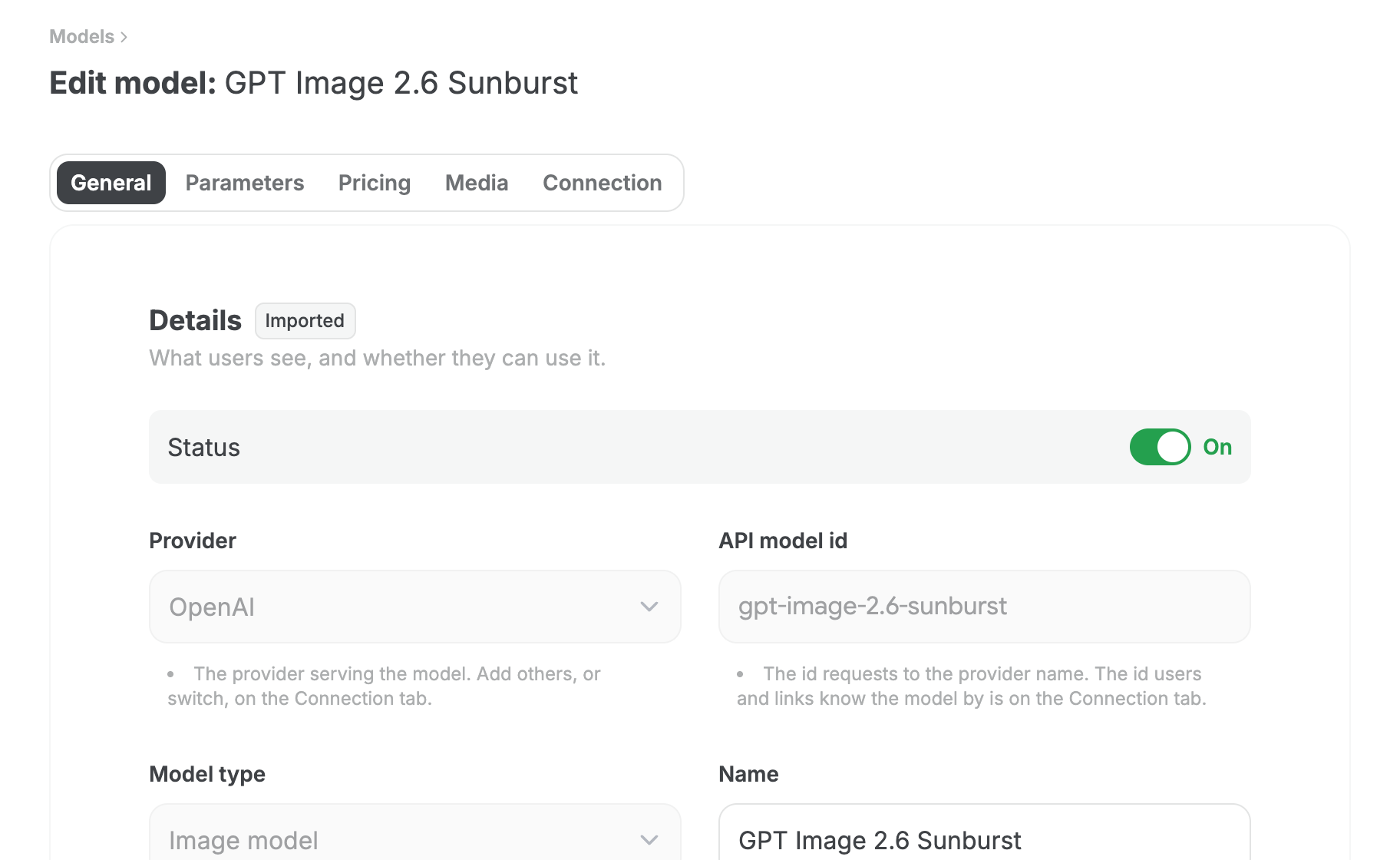
Click Add model and fill in the General tab: the provider, the API model id the provider knows it by, the type, the name users see, and the developer who made it. The developer is shown to users instead of the hub or server behind the model, so a model served by OpenRouter can still say it comes from Moonshot AI.
You can add your own:
Before adding a model by hand, check Import models. Aikeedo's bundled catalog has more than 200 models with their capabilities and provider prices filled in, and new ones arrive with every update.
fal.ai and WaveSpeed each host hundreds of image and video models. v5.3 treats both as model hubs: you don't have to fill in a form for their models.
On a new model, pick the hub and type the model's id, or paste a link to its page, then click Look up at the hub. Aikeedo reads what the model takes and returns, and fills in the form: type, endpoints, image inputs, parameters and price. Change anything you like before adding it.
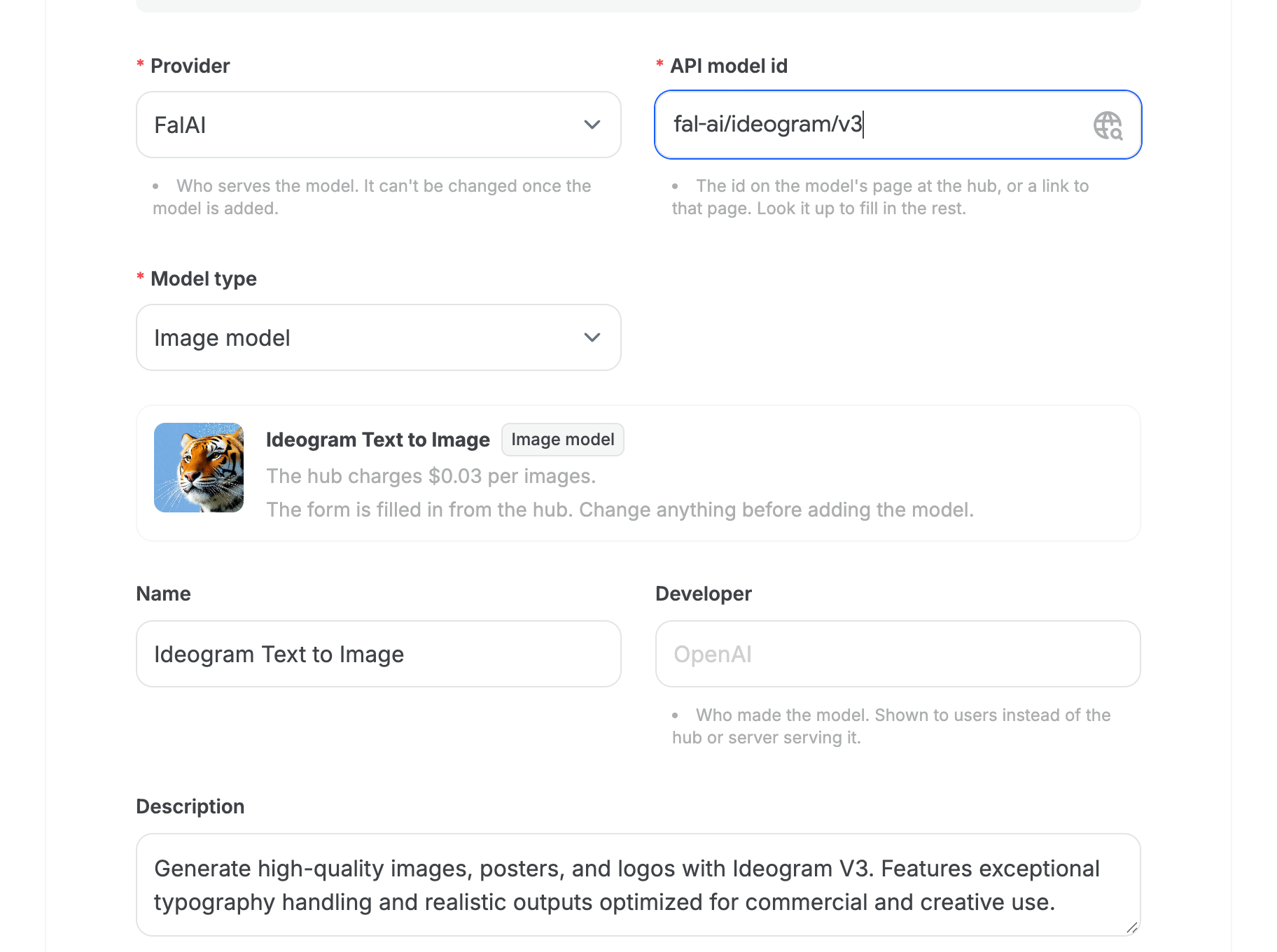
A hub model can also be added by hand, without a lookup, if you'd rather set up its endpoints yourself.
The same model is often sold by more than one provider. Kimi K3.1 Pro, for example, is on DeepInfra, Hugging Face and Together. In v5.3, a model can have several providers instead of being several models.
The Connection tab lists them. One is active and serves every request; the others wait, each with its own API id, settings and prices.
Users keep the same model in their picker, with the same history and plan access, whichever provider is behind it. When one provider raises its prices or has an outage, you switch to another.
If you already have the same model twice, Merge a model in on the General tab folds one into the other. The merged model becomes one of this model's providers, and its links, saved items and plan access move over.
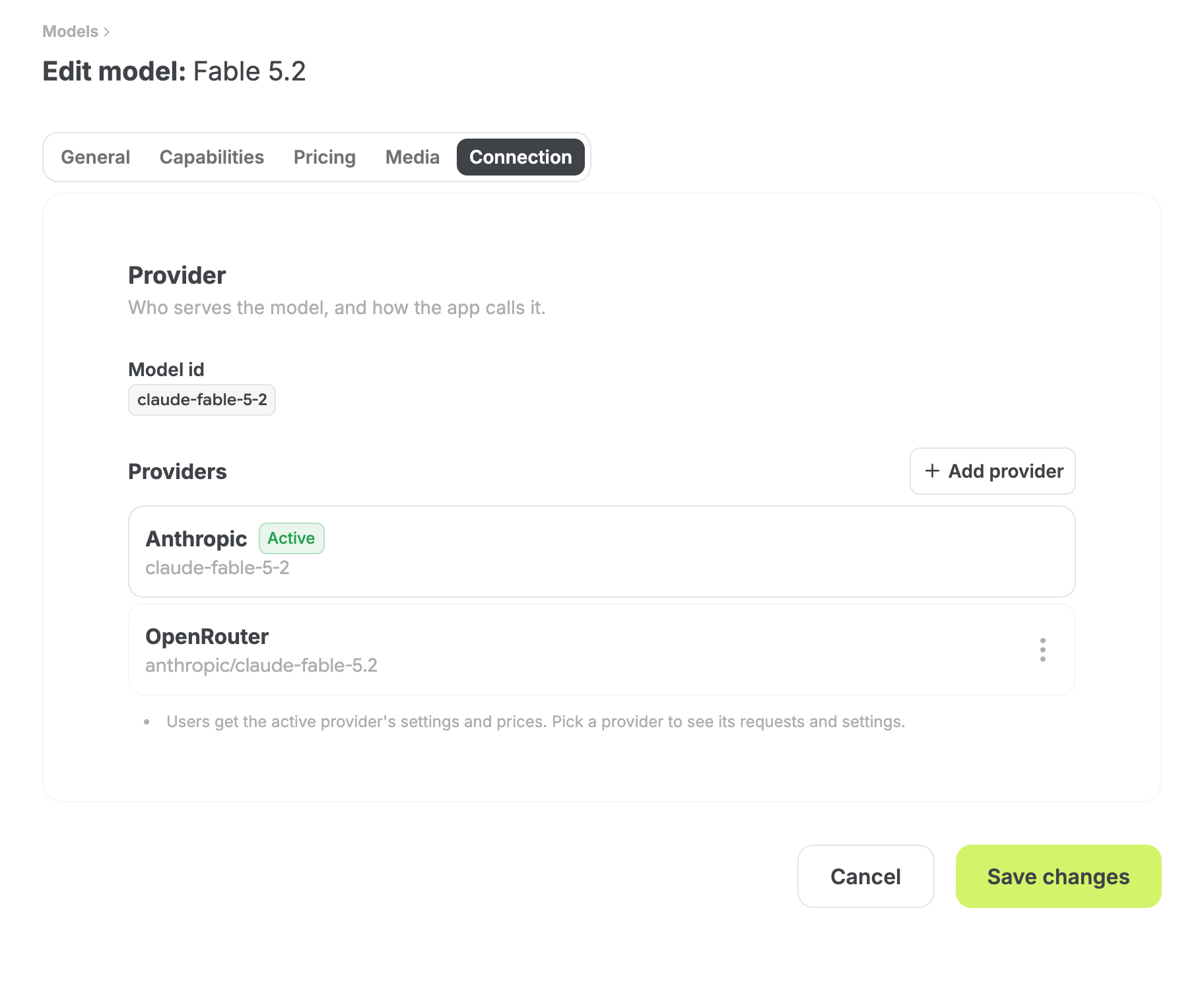
Image and video models take settings: size, aspect ratio, duration, quality, a seed. The Parameters tab decides which of them your users see.
For each parameter you choose:
The same tab sets whether the model takes a negative prompt, the longest prompt it accepts, and how many images or frames it can take as input.
Built-in models show their parameters read-only, because the catalog keeps them current.
Each update brings a new catalog. What happens to your models depends on their origin:
An imported model you edited can go back to the catalog's definition with Restore defaults. Its name, status, prices, markup, discount and media stay.
Update to v5.3 and open Settings → Models. Filter by Without a price first, then look through Import models for what's new.
The models documentation has the details, the AI models page has the overview, and the v5.3 release post covers everything else that is new.
Try the live demo to see it in action, or head to our pricing page if you are ready to get started.
Written by The Aikeedo Team ⦁ Published
Discover more on related topics that might interest you
Yes. Add text models from OpenAI, Anthropic, Cohere, xAI, Ollama or any OpenAI-compatible server, and image and video models from OpenAI, xAI, Luma, fal.ai and WaveSpeed, with Add model. No update is needed.
WaveSpeed is a hub for image and video models, like fal.ai. v5.3 adds it as a provider: add your key, look up a model by its id or page link, and Aikeedo sets it up and charges each run at the price WaveSpeed quotes.
Nothing they need to act on. The model keeps its name, its place in the picker, its history and its plan access. Only the provider serving it changes, along with its settings and prices.
No. Custom models are never touched, and imported models keep your changes. Built-in models follow the catalog for what they can do, but keep their name, description and order, and new provider prices still wait for you to apply them.
It is switched off, not deleted, so items your users made with it stay in their library. For the models retired in 5.3 that have a successor, such as Opus 4.5 and Luma Ray 2, the update moved saved items, voices and plans to the successor. Turn the successor on to make it available.